Check out our second Scribblenauts challenge - Win a free VC/WiiWare game!

Also make sure to read up our Modern Warfare Wii and C.O.P. The Recruit reviews!

Metroid Prime 3 in true 3D

May 4th, 2008 Posted in Features, Wii, Written by Valay

metroidprime_logo.jpg

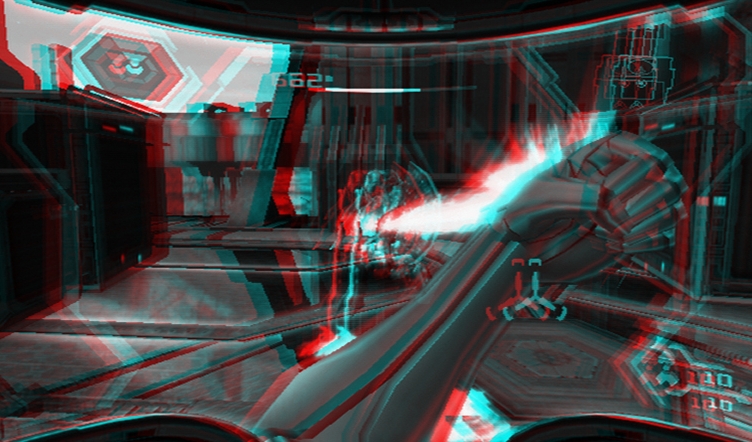
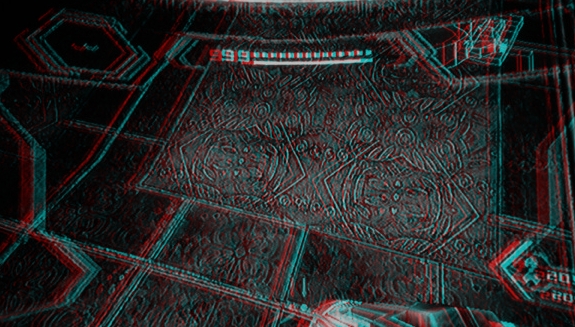
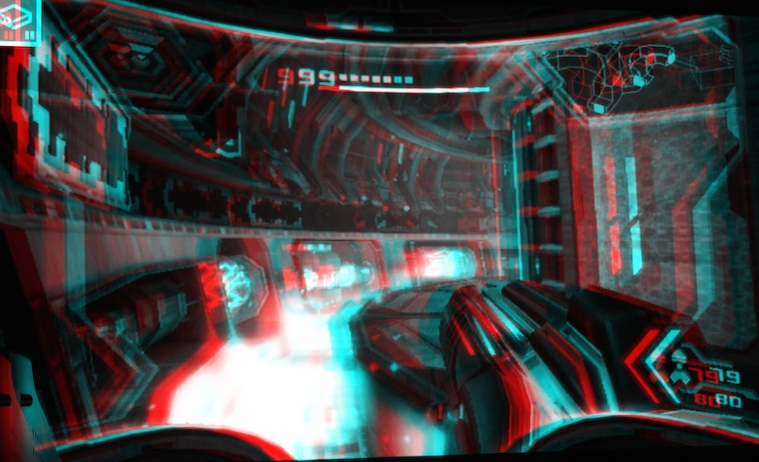
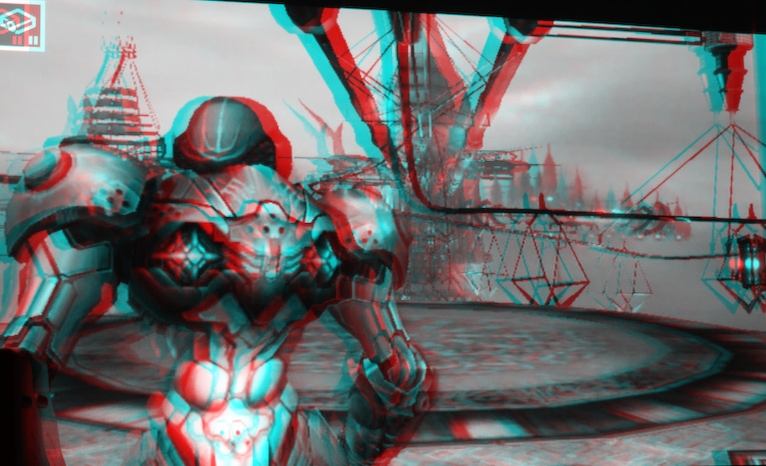
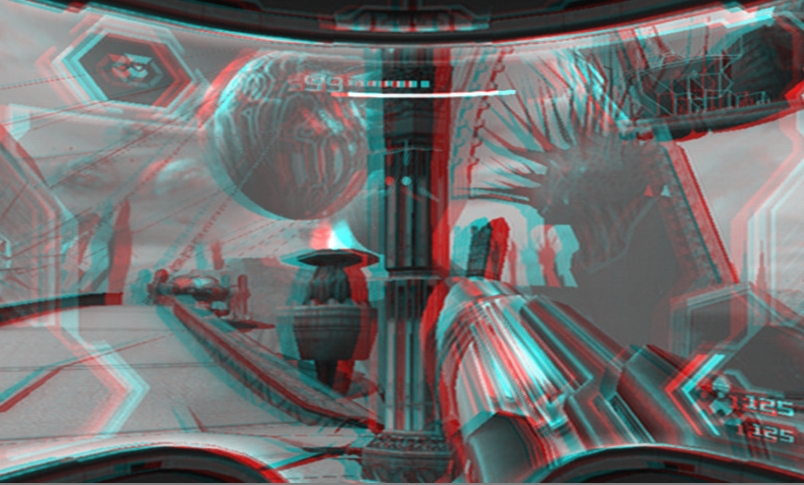
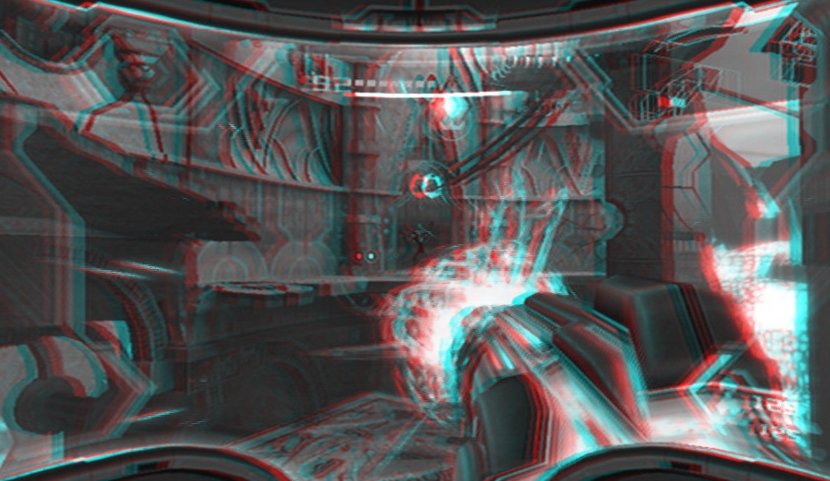
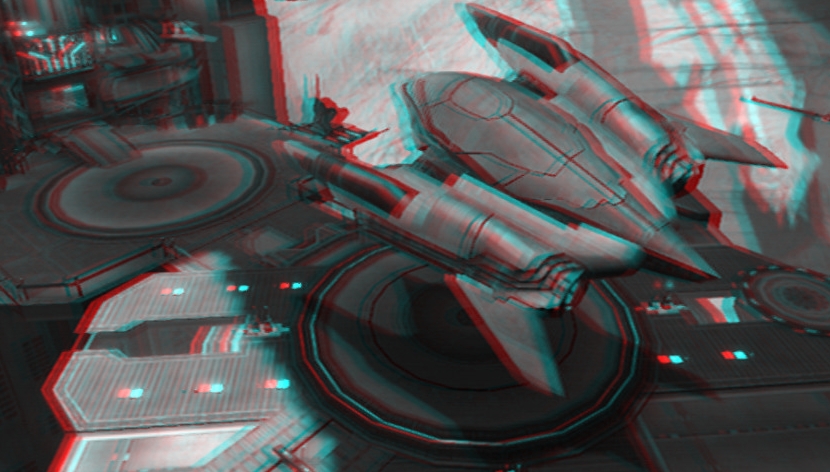
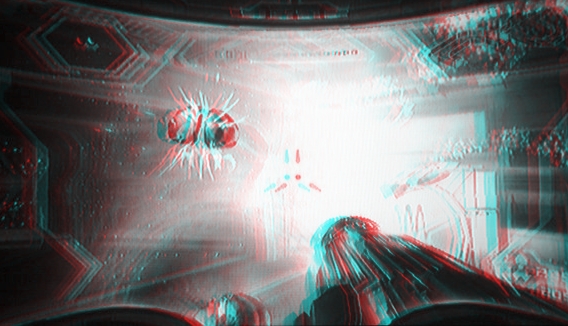
A personal undertaking of mine recently has been taking screenshots of Metroid Prime 3 and translating them into 3D. I began to wonder a few days ago, “What would Metroid Prime look like if Retro Studios developed the Prime so that the experience was similar to virtual reality?” To be honest, I do think that there is a possibility that one day, we will see games in a real 3D environment. How amazing would it be to see a Metroid coming out of the screen and leeching forward at you? Metroid Prime 3 is probably one of the better choices to view in 3D, as it is from the first-person perspective, and the game itself was superb. Of course, you will need 3D glasses to view the images, but they are not very expensive (I’m talking about the Red/Blue glasses) and often come packaged with DVDs and comic books. Also, if anyone has a request for a different series in 3D, or more Metroid Prime 3 images, let me know via the contact form and I’ll do my best to put them on Nintendo Everything (possibly a weekly/monthly feature?!) And hey…Perhaps Retro Studios could somehow include real 3D (head-tracking?) if they did decide to make a bundle of the Prime games while reworking the original two.

Notes:

- 3D glasses necessary to view in 3D (Red/blue recommended)
- Give your eyes a minute to adjust to the 3D – I promise, it works!
- Some images work better in 3D than others
- Original images were not taken by myself
- In the future, I may try to investigate a way to make the images 3D without the need of 3D glasses.
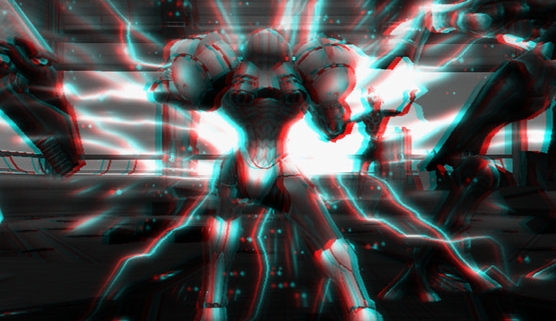
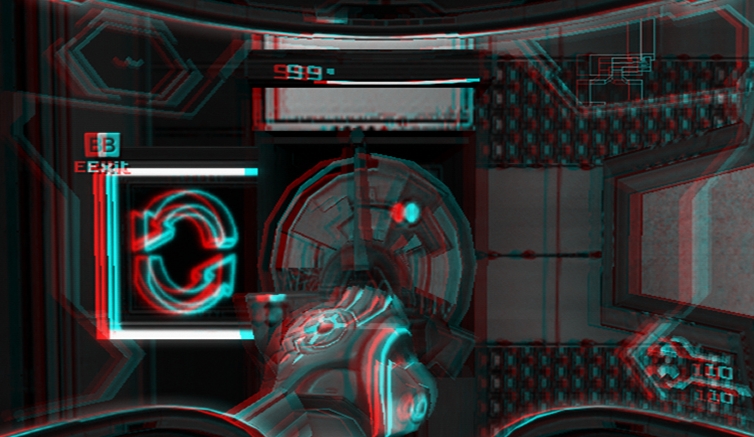
metroidprime3_13de1.jpg

metroidprime3_23de1.jpg


metroidprime3_33de1.jpg


metroidprime3_43de1.jpg


metroidprime3_53de1.jpg


metroidprime3_63de1.jpg


metroidprime3_73de1.jpg


metroidprime3_83de1.jpg


metroidprime3_93de1.jpg


metroidprime3_103de1.jpg

Related posts:

  1. The Metroid Prime series was not always planned as a trilogy
  2. Metroid Prime Trilogy revealed for Wii
  3. Retro Studios may return to the Metroid series in the future
  4. Multiplayer for Metroid Prime will keep being considered, localization has kept Retro engaged, info on new Retro project next year
  5. For Retro Studios, the fans come first

  1. 20 Responses to “Metroid Prime 3 in true 3D”

  2. By Amanosenpai on May 5, 2008

    Great work…

    Btw… the bestway i know to do 3d images without glasess is with “trembling” movement.

  3. By James on May 5, 2008

    Awesome. I always find that slightly blurring your eyes works if you dont have 3d glasses to hand. Its not as sharp but you get the general effect.

  4. By Chris on May 5, 2008

    This is what the pros use.

    http://www.rainbowsymphony.com/cliponbig.html

  5. By ecidemon on May 5, 2008

    How did you make the shots though ?

    Since you need shots from more then one view point for this to work (I can’t tell without the red/cyan glasses, but Ill check it out when i get home from work got a few of them there)
    A simple red/cyan separation done in photoshop wont do it.

  6. By RockmanForte on May 5, 2008

    I don’t like it. It is not fun! Ugh!

  7. By DfromShmups on May 5, 2008

    The Sega Master System goggles were 3D, this black and white stuff is from the 1950’s

  8. By mikey on May 5, 2008

    Is this not just an image taken into photoshop, two layers coloured red and cyan then shifted apart slightly?

    Theres no change in the distances of the two layers for images that are closer or further away. I had assumed this is how 3d is created

  9. By Valay on May 5, 2008

    I made it black/white as it is easier to see with the glasses, but I could make it red/cyan…Though, it won’t be nearly as visible. It didn’t even really seem to matter since the 3D glasses distort the colors in any case.

    For the record, I will try to improve the next batch of images if people are interested in seeing more (or like I said, a different series.)

    But yeah. Comments are appreciated, especially if I have any hopes of improving later images. I do realize these first 10 aren’t the best, though.

  10. By Toño on May 5, 2008

    Valay: If you put the original pictures (not the red/cyan mixed) side by side, and then cross your eyes (as if you were seeing your nose) you can see a composite pic in 3D.

    Some people can’t do it, but is the best way to see a 3D pic without any glasses and in full color.

    Search “stereograms” for more info. And here is an example:
    http://www.rainbowsymphony.com/earthin3d/oahu_sp.html

  11. By Ikaro on May 5, 2008

    hehehhe!
    #################################################################
    This is not 3d, this is the bad option! the good option and realy nextgen option is here:

    See this and cry, 3dglasses is stupid and B/W.

    ******************************************
    http://www.youtube.com/watch?v=Jd3-eiid-Uw
    ******************************************

    #######################################################################

  12. By cybereality on May 5, 2008

    Thats pretty cool man, but you can increase the 3d effect a lot more if you aim the camera at a focal point. IE, take the shot for one eye while locked on a target in the distance. Then move to the side while still looking at the target. This should increase the depth a bit.

    Also, you can game in REAL 3D on the PC and I’ve been doing it for a while now. Almost all the major games can be played in 3d: COD4, Bioshock, Crysis, etc. Its not cheap, but it looks way better than anaglyph.

    If you have an older video card (nvidia 7xxx series or below) a CRT monitor and XP you can get a pair of 3d gamer glasses for only $10:
    http://www.xforce3d.com/

    New 3d LCD monitor compatible with nvidia 8800+ and Vista 32-bit:
    http://www.tweaktown.com/reviews/1391/zalman_trimon_22_3d_monitor_exclusive/index.html

    Go here to learn more:
    http://www.mtbs3d.com/

  13. By Dragon on May 5, 2008

    For better result you can use iZ3D Monitor
    http://www.iz3d.com

    They better than Zalman and cheaper.

    and you can use their driver for playing in anaglyph mode
    http://iz3d.com/t-dcdriver.aspx
    with any videocard

  14. By Aaron Theodore on May 5, 2008

    These images are not really 3D.
    The image has been pushed into the screen
    giving the illusion of depth, but there is no actual separation between objects in the scene.
    I suggest cutting every single object out and making separate layers in Pshop that can be shifted and shaped. Then you will have 3D.
    Oh yeah, don’t forget to clean the occluded areas.
    For professional 3D conversion see:
    http://www.In-Three.com

  15. By Valay on May 5, 2008

    Well, I’ll be considering everyone’s input for the next batch of images.

    And for those who don’t think this is “really” 3D, I guess all I can say is that I’m sorry. By no means am I a 3D expert, but it is possible to notice depth in most of the pictures.

  16. By ecidemon on May 6, 2008

    I tried the images at home with my glasses, didnt work very well.

    You have to realise that in order for the 3d effect to work you need two images, one for each eye with a slightly different angle, as that is how we percive depth in real life.

    It’s easy to test for your self to get an idea of the type of shots you need to create “real” 3d images, just hold up your finger in front of your nose, look with one eye at the time, back and forth.
    I also recomend you try the iZ3D driver, it will give you anaglyptic 3d (red/cyan) in your pc games at least. Pretty cool in Crysis.

  17. By aftas on May 6, 2008

    ok, sorry if it is old stuff, but this guy is doing amazing things, (head tracking, fingers tracking) using the wii remote….

    http://br.youtube.com/watch?v=Jd3-eiid-Uw

    is stunning!

  18. By Tysen on May 9, 2008

    If you want “real” 3D images you can get them from Super Smash Brothers Brawl. Below is a link to several that I have made. They require you to cross your eyes (my preferred viewing method), but I can make them in to a red/cyan or full color anaglyphs in there is interest.

    http://www.perszyk.com/gallery/Tysen/Super%20Smash%20Brother%27s%20Brawl/slides/SSBB_200804_004.html

  19. By Person you will not meet on May 17, 2008

    Ok, I like the idea, but i got a disturbing image of the whole metroid thing jumping up to suck your brain. The thing with metroids is that, when you face metroids, you’re given some stuff:

    -Darkness
    -Anything that could piss visor sight off(G.F.S. Valhalla, when air is sucked in or out.)
    -Creepy music
    -Their ability to defy solid things, making it hard to land the ice beam/missile
    -and that they spring up surprisingly to your head and their ugly behinds are shown,stopping you from seeing.

    All of this shows an extreme level of insecurity, which makes me eager to leave places like the Valhalla.

  20. By Darkflame on May 27, 2008

    Cool idea, but any chance of just making JPS images?
    (Stero JPEG).

    Stero jpegs can then be used with many types of viewing equipment. Software can convert them to red/green, or shutter-glass’s, or even types for 3d moniters.

  21. By Valay on May 27, 2008

    Never heard about JPS images, honestly. Can look into it, though.

Post a Comment